Auto-Documentation
CodeFluent Entities provides a documentation sub-producer which allows you to:
- Decorate all members with XML comments (usable by Visual Studio IntelliSense and help tools),
- Generate XML, batch and configuration files to create a .CHM documentation using Sandcastle.
To benefit from it, you first need to add an instance of the sub-producer. To do so, select the Business Object Model Producer instance of your project, right-click on it and select “Add New SubProducer”:

Then in the “Add New SubProducer” dialog, select “Documentation” in the tree view and configure it:
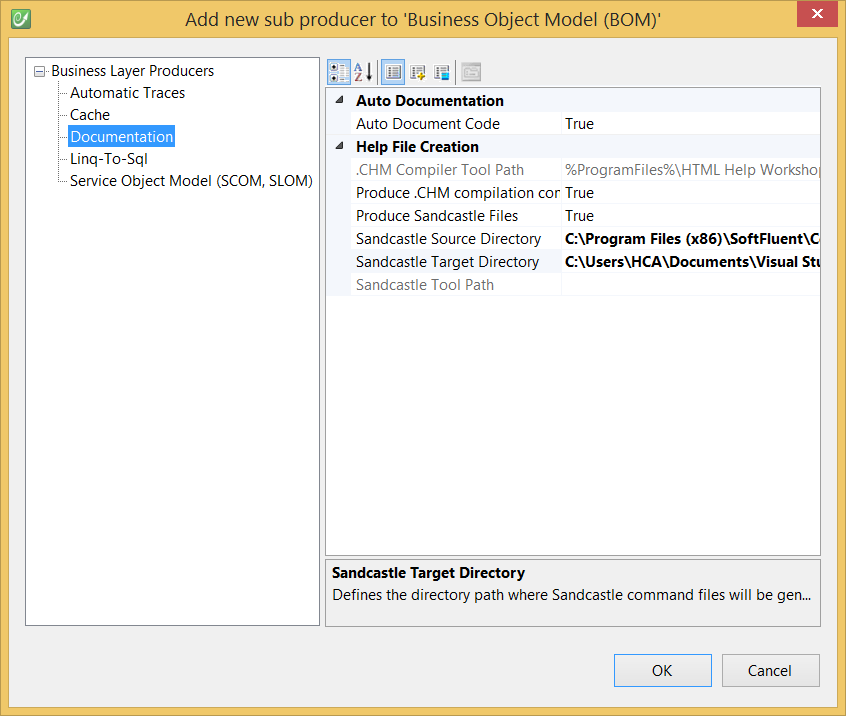
Note: the only required property is the “Sandcastle Target Directory“ which needs to be specified so the producer knows where to generate its output files.
If producing Sandcastle files, you need to have Sandcastle installed before generating and ensure the Sandcastle path is correct so you’ll be able to use the generated files right away.
Since decorating all members of all your generated classes all the time can be quite an overkill during developments, it is disabled by default in the Business Object Model Producer, so you need to enable it as well. Double-click on your Business Object Model producer instance to open its configuration and set “Generate Xml Documentation” to “True”:
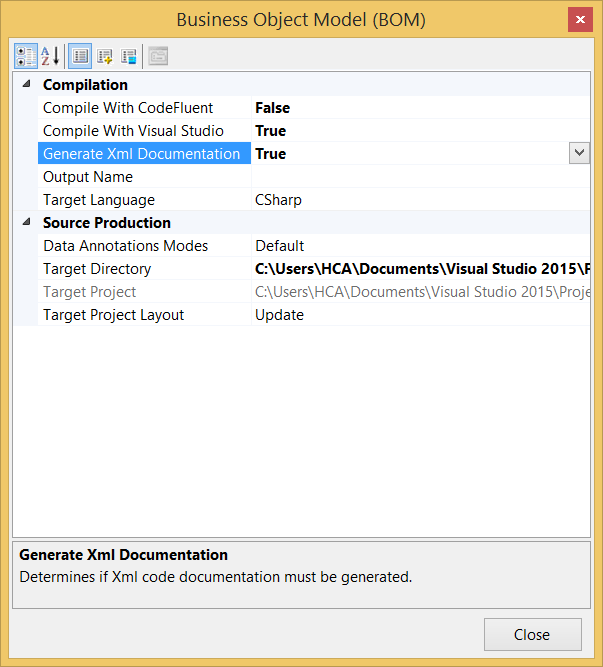
Note: The Generate Xml Documentation property is on the BOM Producer as it's the BOM Producer which generates the actual XML comments. The documentation sub-producer focuses on creating all the corresponding Messages in the _doc class, which are then translated by the BOM Producer into XML remarks.
Build over your project and you’ll see that all your members have XML remarks on them!
Moreover, in the Sandcastle Target Directory you specified, you’ll see a set of files allowing you to generate a .CHM file documenting the generated objet model.
Customizing XML Comments
By default, the producer tries to be clever generates a sentence from the member name. For instance, a property named EntityDisplayName with just a getter will be decorated with a remark such as: Gets the display name of the entity.. However a property named Id with both a getter and setter would have: Gets or sets the id.. Finally, a method named LoadAll would have: Loads all..
If you want to change those automatically generated comment, you can specify overwrite them by defining your own. This can be done by specifying a message on the target concept (entity, property, method, parameter, etc.) and marking this message to be used in the _doc class.